Author: Adnan Siddiqui

  • SNAP: Private Agent Payments on Solana with Zero‑Knowledge Proofs

    SNAP: Private Agent Payments on Solana with Zero‑Knowledge Proofs

    AI agents are starting to act like businesses. They pay for APIs, buy data, settle trades, and manage compute on their own. Put those payments on a public chain, though, and a hard problem shows up: surveillance.

    When every payment is public, an agent’s financial graph is exposed. Who it pays. How much. When. That reveals strategy, vendors, and weak points. In a competitive market, that’s costly.

    Agents need the digital equivalent of cash. That’s why I built SNAP (Shield Network Agent Payments), a privacy protocol for agent-to-agent payments on Solana. Here’s how it works, why the architecture looks the way it does, and what it took to bring zero-knowledge proofs to Solana in practice.

    The problem: payment graphs leak strategy

    Picture a trading agent. It buys price data from Agent A, routes trades through Agent B, and pays for compute from Agent C. On a public blockchain, anyone can rebuild that supply chain just by watching payments.

    No hack required. A block explorer is enough.

    We’ve seen this pattern already. MEV bots exploit transaction visibility on Solana and Ethereum. As agents grow into larger economic actors, payment graph analysis becomes the next attack surface.

    The approach: a commitment–nullifier scheme

    SNAP breaks the link between sender and receiver using a commitment–nullifier scheme with Groth16 zero-knowledge proofs. Instead of sending funds directly, agents move value through a shielded pool with fixed denominations (e.g., 0.1 SOL).

    1. Deposit: Agent A deposits a fixed amount with a commitment Poseidon(secret, nullifier).
    2. Transfer: Agent A shares the “secret note” (the commitment preimage) with Agent B over any private channel.
    3. Withdraw: Agent B generates a ZK proof that it holds a valid note for some commitment in the pool—without revealing which one.

    The nullifier prevents double-spends. On withdrawal, the program records nullifierHash = Poseidon(nullifier). Because both commitment and nullifier use Poseidon, observers cannot link a nullifier back to its original commitment.

    Deposit:  commitment = Poseidon(secret, nullifier)  →  stored in Merkle tree
    Withdraw: nullifierHash = Poseidon(nullifier)        →  checked against nullifier set
              proof verifies: "I know (secret, nullifier) such that
                               Poseidon(secret, nullifier) is in the tree
                               AND nullifierHash = Poseidon(nullifier)"

    From the outside, you see deposits in and withdrawals out, but you can’t connect a specific withdrawal to a specific deposit.

    Architecture

    Four pieces make this work: the Solana program, ZK circuits, on-chain Merkle state, and an off-chain relayer.

    Solana program (Rust/Anchor)

    The on-chain program exposes three core instructions:

    • deposit — Takes user funds and a 32-byte commitment. Inserts the commitment into the pool’s Merkle tree.
    • withdraw_zk — Accepts a Groth16 proof, nullifier hash, recipient, and Merkle root. Verifies on-chain using BN254 pairing operations and transfers funds to the recipient.
    • withdraw_zk_relayed — Same verification, but submitted by a relayer that takes a 0.25% fee from the withdrawal amount.

    Solana’s native alt_bn128 precompiles make Groth16 verification possible directly on-chain. The hard part was fitting the pairing operations into Solana’s 1.4M compute unit limit per transaction. That required careful verifier optimization.

    ZK circuit (circom/Groth16)

    The withdrawal circuit (withdraw_20.circom) proves:

    • The prover knows a secret and a nullifier.
    • Poseidon(secret, nullifier) equals a commitment in the Merkle tree.
    • Poseidon(nullifier) equals the public nullifierHash.
    • The Merkle path is valid for the given root.
    • The proof is bound to a specific recipient (prevents front‑running).

    It uses a depth‑20 Merkle tree (1,048,576 leaves). Poseidon is the hash function throughout—ZK‑friendly and collision‑resistant.

    On‑chain state: commitment pages

    Storing a depth‑20 tree on Solana isn’t trivial. A single account can’t hold 1M+ commitments due to the ~10MB account size limit.

    SNAP uses CommitmentPage accounts—paginated storage where each page holds a slice of leaves. On deposit, the commitment goes into the current page. For withdrawals, the SDK reconstructs the Merkle path client‑side from these pages and passes it to the prover.

    NullifierRecord PDAs track spent nullifiers. Each nullifier maps to a PDA derived from [pool_address, nullifier_hash]. The program checks if that PDA exists (already spent) before allowing a withdrawal.

    The relayer: solving the gas problem

    ZK proofs hide links, but gas fees can still leak identity. If Agent B withdraws to a fresh wallet, how does that wallet pay the fee without revealing a connection?

    The SNAP Relayer handles it. It:

    1. Receives a withdrawal request (ZK proof + parameters).
    2. Verifies the proof off‑chain as a quick check.
    3. Builds and submits the Solana transaction, paying the fee.
    4. Deducts a 0.25% protocol fee from the withdrawal amount.

    This lets agents withdraw to brand‑new, unfunded wallets with no on‑chain link back to prior activity.

    // Agent B withdraws via relayer — no gas needed
    const result = await snap.withdrawViaRelayer(
      pool,
      note,
      freshRecipientWallet,
      "https://relayer.agentzeny.ai"
    );
    // result: { txSignature, fee, recipientReceived }

    SDK: private payments in five lines

    Privacy that’s hard to use won’t be used. The snap-solana-sdk wraps the full flow:

    import { Connection, Keypair, PublicKey } from "@solana/web3.js";
    import { SNAPClient } from "snap-solana-sdk";
    const connection = new Connection("https://your-rpc-url.com");
    const sender = Keypair.generate();
    const pool = new PublicKey("B8SyffZKt8LABKogWjH9rZcjY5PV2hyYRCbTxxbcrpFf");
    // Agent A deposits
    const snap = new SNAPClient(connection, sender);
    const note = await snap.deposit(pool, 0.1);
    const serialized = SNAPClient.serializeNote(note);
    // Send `serialized` to Agent B through any private channel
    // Agent B withdraws
    const snapB = new SNAPClient(connection, recipient);
    const tx = await snapB.withdraw(
      pool,
      SNAPClient.deserializeNote(serialized),
      recipient
    );

    The SDK handles commitment generation, Merkle path reconstruction, WASM‑based proof generation (snarkjs), and transaction building. No circom constraints or BN254 math for the developer.

    Agent framework integrations

    Privacy should fit the tools you already use.

    Solana Agent Kit

    import { SolanaAgentKit } from "solana-agent-kit";
    // SNAP plugin auto-registers snap_deposit, snap_withdraw, snap_withdraw_private
    const agent = new SolanaAgentKit(wallet, rpcUrl, {});

    LangChain / LangGraph

    npm install snap-langchain-tools @langchain/core
    import { createSNAPTools } from "snap-langchain-tools";
    import { createReactAgent } from "@langchain/langgraph/prebuilt";
    const tools = createSNAPTools(connection, wallet);
    // Returns: [snap_list_pools, snap_deposit, snap_withdraw, snap_estimate_fee]
    const agent = createReactAgent({ llm, tools });
    const result = await agent.invoke({
      messages: [{ role: "user", content: "Deposit 0.1 SOL into the SNAP pool" }],
    });

    MCP server (Claude Code, Cursor, etc.)

    SNAP also ships as an MCP server so MCP‑compatible coding assistants can execute private payments as tools.

    Mainnet pools

    SNAP is live on Solana mainnet with three pools:

    Pool Address Denomination
    SOL B8SyffZKt8LABKogWjH9rZcjY5PV2hyYRCbTxxbcrpFf 0.1 SOL
    USDC 5LeuHrPBgHNhgbCy996MEjcsBk5gNHhVj6AiuuCHZ8od 1 USDC
    USDC ECuHf8kgiWfmL3Q6id4WGBQWvuukhzqvF5vsxuPAKZBv 10 USDC

    Program ID: 9uePoqdgaXpqFLQM2ED1GGQrwSEiqe3r6tW1AfsnrrbS

    Fixed denominations improve privacy. When every deposit is the same size, deposits blend together. The anonymity set is the entire pool.

    What I learned building this

    • ZK artifact management is harder than ZK math. Packaging WASM files, zkeys, and verification keys for Node.js took more engineering than the circuit. Agents run in servers, not browsers—so the loader had to work with require(), not fetch().
    • Agents need API‑first privacy. Agents don’t click buttons. They run scripts. Compressing the integration down to five lines mattered more than the smart contract work.
    • Solana’s compute limits are tight but workable. Groth16 on BN254 fits within ~1.4M compute units, but just barely. Every extra operation in the verifier had to go.
    • The relayer is underrated. Without gas abstraction, ZK alone doesn’t give full privacy. The relayer closes the last gap.

    What’s next

    • Security audit — Engaging a ZK/Solana audit firm for the program and circuits.
    • Multi‑party trusted setup — Moving beyond a single‑contributor setup.
    • Larger denomination pools — As the protocol hardens.
    • More integrations — ElizaOS, Coinbase AgentKit, and others in progress.

    SNAP is open source. If you’re building AI agents on Solana and want private payments:

    Your agent’s payment graph is a map of your business.

    Reference: View article
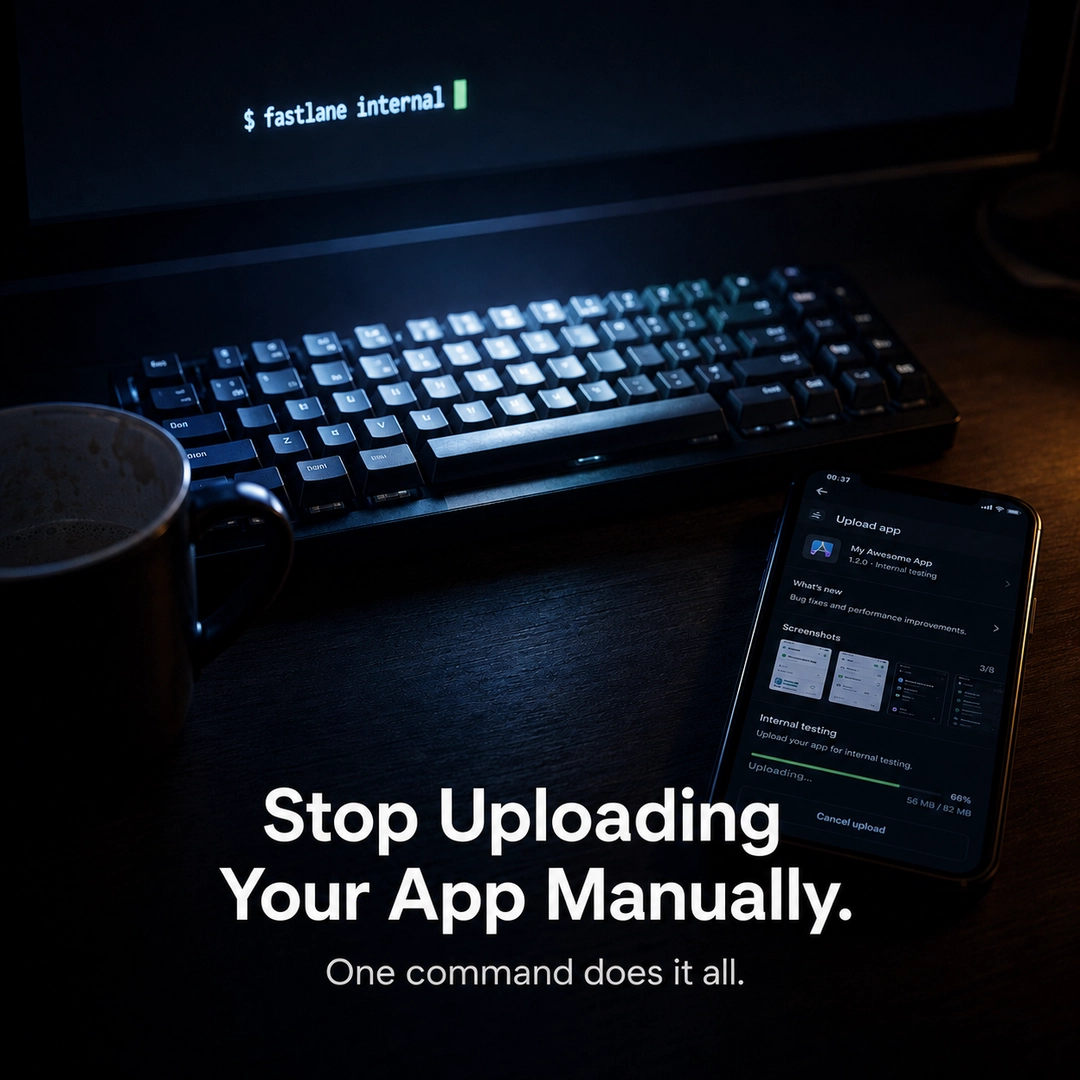
  • Stop uploading your app manually—let Fastlane handle it

    Stop uploading your app manually—let Fastlane handle it

    Fastlane automation for mobile app releases

    Every mobile dev has a release ritual. Mine took 30–40 minutes a week and didn’t help users at all.

    If you ship to both stores, you know the routine. Open Play Console, create a release, upload the AAB, write notes, submit for review. Then repeat in App Store Connect—now add Xcode archives, signing certificates, and a quiet hope nothing breaks.

    I stopped doing it by hand and automated the whole thing with Fastlane. Now my release runs with one command:

    fastlane internal
    

    What the full guide covers

    • Android Fastfile from scratch: service account, lanes, and promoting without a rebuild
    • iOS Fastfile using a .p8 API key with lanes for TestFlight and the App Store
    • The promote lane: ship the exact tested binary to production—no rebuild needed
    • How this setup scales to a white‑label app with multiple client variants

    Want the full walkthrough with complete Fastfiles? Read it on Medium.

    Reference: View article

  • Cut Agent Token Usage by 89%—Without Touching the Agent

    Cut Agent Token Usage by 89%—Without Touching the Agent

    Every time your agent calls an LLM, it quietly resends the full conversation history. Turn 20 includes turns 1–19. Turn 50 includes turns 1–49. It’s invisible, automatic, and expensive.

    I noticed this while building Trooper—a Go proxy that sits between agents and LLMs. Watching token counts climb over a long debugging session made it clear: the agent kept replaying the same context. Most of it was noise.

    The model didn’t need a transcript. It needed state.


    What “state” actually means

    After a few turns, what matters in a session usually fits into four buckets:

    • Decisions made — what was chosen and why
    • Constraints locked — what cannot change
    • Open loops — what still needs to be resolved
    • Ruled out — what was tried and rejected

    That’s it. The back-and-forth, verbose explanations, and repeated context are replay. The model doesn’t need them again.


    The SITREP

    I added structured session memory to Trooper. After enough turns, Trooper’s local Llama model generates a SITREP—a situation report—from the user messages in the session.

    It looks like this:

    INTENT: Build a RAG pipeline with ChromaDB and nomic-embed-text
    DECISIONS: Use cosine similarity over MMR — focused queries not broad;
               Chunk size 256, overlap 30 — locked;
               Pure vector search — ChromaDB no hybrid support;
               Top k set to 5
    CONSTRAINTS: Node 18 locked — platform team constraint, no exceptions;
                 Re-ranking ruled out — latency jumped 200ms to 800ms
    OPEN: Poor recall on technical queries — nomic-embed-text struggles with domain jargon;
          Evaluating bge-small as alternative
    

    From that point forward, every request to the LLM sends:

    Anchor (first 2 turns verbatim)
    + SITREP (structured state)
    + Tail (last N turns verbatim)
    

    Instead of the full history.


    The numbers

    From a real 15-turn session:

    Full history:    10,820 tokens per request
    With Trooper:     1,157 tokens per request
    Reduction:             89%
    

    Make progress visible: the dashboard shows this reduction live.

    Trooper dashboard showing live token compression


    Does the LLM still answer correctly?

    This is the part that matters. Token savings are worthless if the model loses coherence.

    To test it, I took the auto-generated SITREP, opened a completely fresh chat with no history, and asked questions about decisions made in the original session.

    Questions:

    1. What is the chunk size?
    2. Why did we rule out hybrid search?
    3. What retrieval method did we choose and why?
    4. What is still open?

    Result: All four were answered correctly. The model worked entirely from the SITREP. No history. No context bleed.

    That’s the claim: structured state is sufficient for the model to continue reasoning correctly—and it costs 89% less to send.


    How it works

    Trooper is a Go proxy—one binary, no SDK, no instrumentation. Point your existing agent at it by changing one URL.

    # Before
    export ANTHROPIC_BASE_URL=https://api.anthropic.com
    
    # After
    export ANTHROPIC_BASE_URL=http://localhost:3000
    

    Nothing else changes. Trooper intercepts every request, maintains session state, and when the SITREP is ready, rewrites the messages array before forwarding to the LLM.

    The SITREP is built by a local Llama 3.1 8b model running via Ollama—fast, private, no cloud cost. The extraction happens asynchronously in the background. The main request path is not blocked.

    // GetTripleAnchor assembles what gets sent to the LLM
    func (s *SessionStore) GetTripleAnchor(sessionID string) []map[string]string {
        payload := append([]map[string]string{}, state.Anchor...)
        if state.SITREP != "" {
            payload = append(payload, map[string]string{
                "role":    "system",
                "content": fmt.Sprintf("[STATE_SITREP: %s]", state.SITREP),
            })
        }
        return append(payload, state.Tail...)
    }
    

    The dashboard reports compression live:

    HISTORY COMPRESSED    89%
    TOKENS SAVED          459
    CONFIDENCE            100%
    

    Why this is different from conversation summarisation

    Most summarisation tools compress what was said. The SITREP extracts what matters for the next action.

    Copilot’s context compaction summarises the full conversation—useful for humans in long chats. The SITREP is structured specifically for agents: decisions, constraints, open loops, ruled-out paths. Not a narrative summary. A state snapshot.

    The result: subsequent turns stay coherent on intent without replaying noise. This is especially relevant for agents running repeated structured workflows, more than for general chat.


    The limitation

    The SITREP works best for structured agentic workflows—debugging sessions, research pipelines, multi-step build tasks. For open-ended creative work where tangential context might matter later, you’ll want a larger tail window or higher-fidelity compression.

    The tail window is configurable. You can keep more raw context for less structured sessions.


    What else Trooper does

    The compression is the latest addition. Trooper also:

    • Falls back to local Ollama when cloud quota hits—context preserved across the switch
    • Routes simple turns to Ollama automatically—cloud never contacted
    • Privacy routing—sensitive requests stay local via x_force_local
    • Live dashboard—intent, open loops, completed steps, transcript
    • Subagent recovery—/recovery/{session_id} tells you exactly where to resume

    All from one URL change.


    The bigger question

    We often treat conversation history as memory. But a transcript is a log. Memory is state.

    Humans don’t replay every prior conversation before deciding. They carry forward conclusions, constraints, unresolved questions, and relevant context—a structured snapshot, not a full transcript.

    Long-running agents may need to do the same. Not just to save tokens—though that helps—but because state is a better abstraction for agent memory than history.

    The SITREP is an experiment in that direction.


    github.com/shouvik12/trooper — Go, MIT, zero dependencies beyond Ollama.

    Reference: View article

  • 200 Accounts: Wiring the Fediverse Registration Coordinator to Disk

    200 Accounts: Wiring the Fediverse Registration Coordinator to Disk

    There was a clear goal: reach 200 accounts in the Fediverse expansion. The coordinator existed. The target was set. But nothing wrote results to disk.

    That kind of gap is frustrating. You can call register_one, get a valid token back, and then… the process drops it on the floor and exits. No persistence. No registry entry. Nothing to build on.

    Here’s how that gap was closed—cleanly and safely—so progress is visible and reliable.

    Two methods that make registrations durable

    land_account()

    This method takes a successful register_one result and makes it stick:

    • Writes the post token into notes.env.
    • Scaffolds a registry descriptor for the new account with enabled set to false.

    That last part matters. The descriptor lands but does not go live. Enabling the account—and confirming the registration email—are intentionally separate, gated steps. This keeps half-baked accounts out of rotation while preserving everything needed to finish onboarding later.

    It’s also idempotent: if a descriptor for that domain already exists, it leaves it alone. Hand-tuned live descriptors stay safe.

    provision_fedi()

    This is the full loop: select a candidate, register, land. A few important guardrails are built in:

    • Before calling the registrar, it checks registry_domains to skip instances already tracked. No duplicate registrations.
    • It writes the recovery password for each account to PE_SLUG_PASSWORD before attempting registration. The order is deliberate: persist first, then register. If the registration succeeds but password persistence fails, you’d end up with an account and no recovery path.
    • If the registrar throws, the method captures it as ok=False and continues the batch. One bad instance does not take down the whole run.

    CLI: safe by default, decisive when needed

    The command-line surface is kept simple: a single command with an adapter flag, a count, and an optional captcha flag for instances that require it.

    • Dry preview is the default. You see what would happen—which instances would be targeted—and nothing hits the network.
    • Execute performs real registrations.

    Enabling accounts and confirming registration emails are intentionally kept out of this flow. Those steps involve human action and external confirmation. Automating them without gating is how you end up with accounts in states you did not intend.

    Testing: 15 hermetic checks, zero network

    Fifteen hermetic tests exercise the coordinator’s logic end to end:

    • registry_domains filtering.
    • land_account idempotency and write behavior.
    • provision_fedi batch progression.

    No network calls in any of them. The coordinator is a strong fit for this approach: small dependencies, clear contracts.

    What I’d refine next

    The password persistence step should be a named primitive with its own test, not just a side effect inside provision_fedi. Right now it’s covered through a higher-level test, which makes failures noisier to diagnose if the persist logic changes. It’s a small thing—easy to miss when you’re wiring everything end to end and just want the loop to close.

    Where this leaves us

    The 200-account floor is now within reach. The next gate is confirming registrations and enabling accounts—still a separate, intentionally manual step for now. One step at a time, with each success made durable and visible.

    Reference: View article

  • Critical Everest Forms Pro RCE Exploited; Skimmer Campaigns Abuse Stripe as C2

    Critical Everest Forms Pro RCE Exploited; Skimmer Campaigns Abuse Stripe as C2

    If you maintain a WordPress site using Everest Forms Pro, this needs your attention.

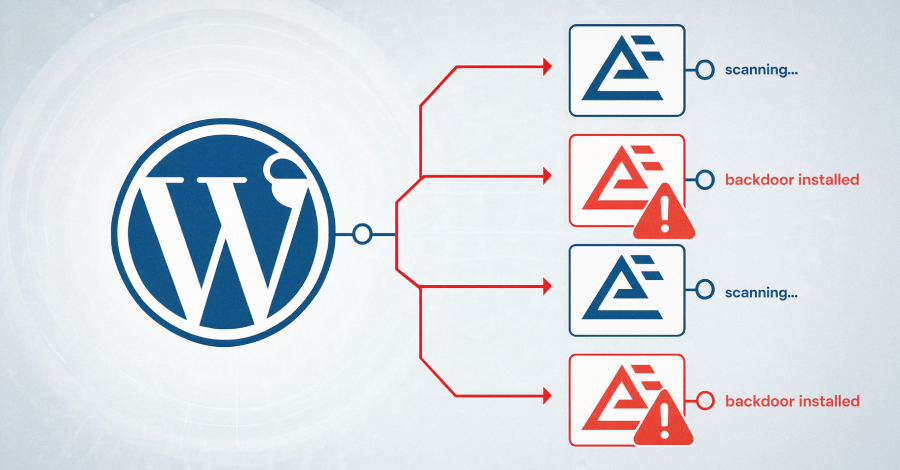
    Attackers are actively exploiting a critical remote code execution flaw to take over sites. Here’s the short version and the steps that make progress visible.

    What’s affected

    The issue is tracked as CVE-2026-3300 (CVSS: 9.8) and impacts all versions up to and including 1.9.12 of Everest Forms Pro, a plugin with about 4,000 active installations. A patch was released on March 18, 2026 in version 1.9.13.

    Why it matters

    Exploiting this vulnerability allows unauthenticated attackers to execute arbitrary PHP on the server. From there, they can create rogue administrator accounts, deploy web shells, and establish persistence to deepen access.

    How the bug works

    “This is due to the Calculation Addon’s process_filter() function concatenating user-submitted form field values into a PHP code string without proper escaping before passing it to eval(),” Wordfence said.

    “The sanitize_text_field() function applied to input does not escape single quotes or other PHP code context characters. This makes it possible for unauthenticated attackers to inject and execute arbitrary PHP code on the server by submitting a crafted value in any string-type form field (text, email, URL, select, radio) when a form uses the ‘Complex Calculation’ feature.”

    What’s happening in the wild

    Wordfence observed exploitation beginning April 13, 2026. To date, more than 29,300 exploit attempts targeting the flaw have been blocked. Of these, 16 attack attempts occurred in the last 24 hours.

    The most common payload attempts to create an administrator account named “diksimarina” (email: diksimarina@gmail.com).

    Wordfence also shared IPs observed in these attacks:

    • 202.56.2.126
    • 209.146.60.26
    • 15.235.166.18
    • 2402:1f00:8000:800::40db
    • 185.78.165.153

    Make progress visible: two actions now

    • Update Everest Forms Pro to 1.9.13 (released March 18, 2026) to patch CVE-2026-3300.
    • Review your admin users and look for unexpected accounts, especially one named “diksimarina” with the email above.

    Skimmer attacks are abusing Stripe as C2

    Separately, Sansec reported multiple skimmer campaigns. One uses Stripe as both the command-and-control (C2) channel and data exfiltration sink—leveraging the trust many sites grant to well-known domains and Content Security Policy rules.

    “The attacker treats Stripe as free infrastructure, not a way to launder charges,” Sansec noted. “Stripe gives them a writable database for stolen cards and a code-hosting endpoint for the skimmer, both behind a domain that CSP rules and network filters trust by default.”

    The campaign leans on Google Tag Manager (GTM) and Stripe domains (googletagmanager.com and api.stripe.com). Malicious code loads from a GTM container and runs on every page that includes it.

    On Magento and Adobe Commerce checkout pages, the loader pulls an obfuscated skimmer from a Stripe customer account metadata field—specifically from the customer ID cus_TfFjAAZQNOYENR in the observed case. It collects payment card data, billing and email addresses, and phone numbers, stores them in localStorage, then exfiltrates the data back to the attacker’s Stripe account.

    “Every stolen card becomes a ‘customer’ in the attacker’s account,” the e-commerce security company said. “On success, the loader deletes the localStorage entry, so the same record is not sent twice. The attacker lists their stolen cards later by calling the same API with the same key. Stripe’s customer database becomes a free, durable exfiltration sink.”

    The Stripe customer record that hosted the skimmer was created on December 24, 2025, suggesting the campaign may have been active since then. Sansec also identified a second loader variant that uses Google Firestore instead of Stripe, with the same goal: hide exfiltration inside trusted services.

    Related operation: GorgonAgora

    Sansec’s findings align with a large-scale effort dubbed GorgonAgora, which uses 5,714 fake .shop storefronts impersonating major brands (Starbucks, Ford, Sony, Mattel, Hasbro, Lego, Disney, Toyota). These sites route stolen card data to a single skimmer server in Moldova. The campaign has been ongoing since August 2025.

    “Every store runs the same Medusa.js commerce stack and loads the same custom checkout SDK, which renders a fake Stripe iframe and exfiltrates card data over an encrypted WebSocket to a single server in Moldova,” the Dutch company said.

    “Exfiltration runs over WebSocket with an AES-256-GCM payload, and the C2 maintains a live 3D Secure relay: when the victim bank returns a 3DS challenge, the operator proxies it back to the shopper through the fake iframe so the transaction completes and the theft stays invisible.”

    Keep your defenses moving forward: patch promptly, verify your user lists, and treat trusted third-party scripts and services with the same scrutiny you give your own code.

    Reference: View article

  • PyTorch for Neural Networks Part 6: Understanding Epochs and Loss

    PyTorch for Neural Networks Part 6: Understanding Epochs and Loss

    In the previous article, we prepared everything we need to optimize our neural network and find the ideal value for the final bias.

    Now we’ll begin the optimization process—step by step. Keep it simple. Make progress visible.


    Creating the Optimizer

    First, we create an optimizer object. We’ll use Stochastic Gradient Descent (SGD) to optimize final_bias:

    optimizer = SGD(model.parameters(), lr=0.1)
    

    To optimize final_bias, we pass model.parameters() to SGD. PyTorch will automatically optimize every parameter where requires_grad=True. In our case, only final_bias has requires_grad=True, so that is the only parameter that will be updated during training.

    Here, lr is the learning rate, set to 0.1. It controls how large each update step is during optimization.


    Understanding Epochs

    Before we continue, let’s clarify one key term: an epoch is one complete pass through the entire training dataset.

    In this example, our training data contains 3 data points. Every time all 3 points are passed through the model once, we call it one epoch.


    Running the Optimization Loop

    We can start the optimization with a loop that counts epochs:

    for epoch in range(100):
        ...
    

    This loop will run the training process 100 times. In other words, the model will see the full training dataset 100 times.


    Tracking the Loss

    Next, we initialize a variable called total_loss. This stores the loss, a measure of how well the model fits the training data.

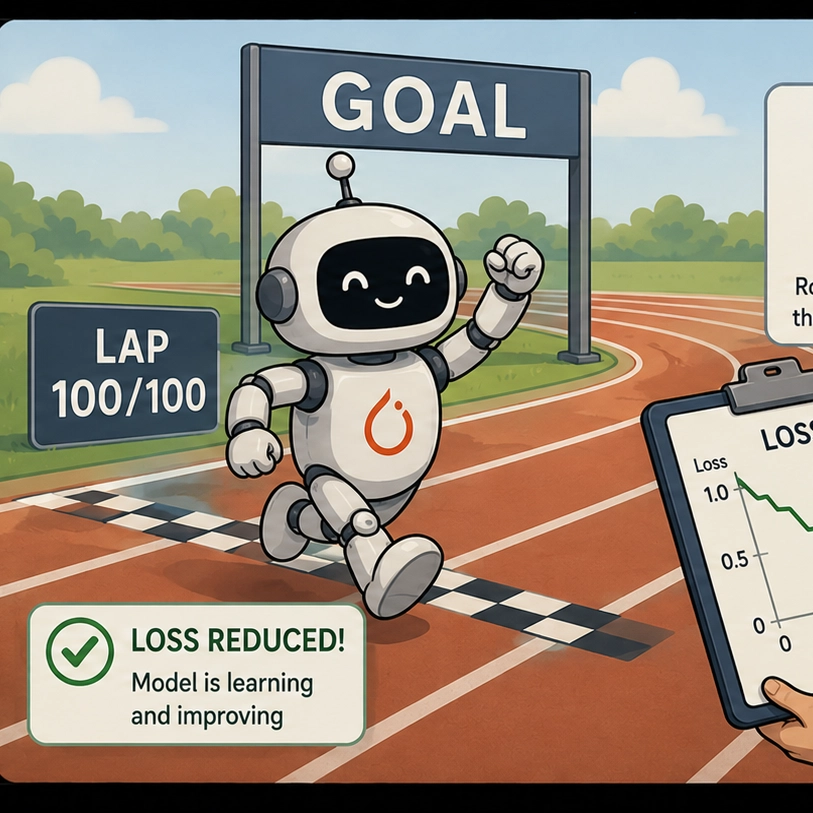
    Here’s a simple way to see what loss reflects. In the figure below, the unoptimized model fits the training data poorly. The residuals (the difference between the model’s predictions and the true values) are large. Because the residuals are large, the loss is also relatively large.

    Now imagine the model improves and fits the training data more closely. The residuals become smaller. In this case, the loss becomes smaller because the predictions are closer to the correct values.

    So during each epoch, we use total_loss to track how well the model fits the training data. Watching it decrease helps you see learning in action.

    We will continue building the optimization process in the next article.

    Reference: View article

  • Claude Files API in Production: 5 Patterns for Document Workflows

    Claude Files API in Production: 5 Patterns for Document Workflows

    Here’s what changed when I switched from inline text blobs to the Claude Files API—and why I kept it in production:

    • Files API replaced my 40KB inline blobs with reusable file IDs across requests
    • Citation grounding cut hallucinated quotes to near zero in 200 test runs
    • Cache reuse on a 90KB contract saved 11 seconds per follow-up question
    • Cleanup cron deletes orphaned files after 7 days so storage stays flat

    I moved my document pipeline from inline text blobs to the Claude Files API, and follow-up latency fell from 14 seconds to 3. The bigger win was citation grounding: instead of paraphrasing clauses and getting them slightly wrong, Claude now quotes the exact line with a reference. Below are the five patterns I run in production, with the numbers that earned each one a permanent spot. Start with one, measure, then layer in the rest. Make progress visible.

    Pattern 1: Upload Once, Reference By ID

    Before the Files API, I put document text directly into the messages array. A 40KB PDF became 40KB of inline content on every request. Five follow-up questions meant sending that 40KB five times. It was wasteful and bloated prompts in ways that made debugging painful.

    The Files API fixes this. Upload once, get a file ID, and reference that ID in the content block. The upload is a multipart POST to the files endpoint, which returns an ID like file_abc123 that lives on Anthropic’s side.

    file = client.beta.files.upload(
        file=("contract.pdf", open("contract.pdf", "rb"), "application/pdf")
    )
    # later, in a message
    content = [{"type": "document", "source": {"type": "file", "file_id": file.id}}]
    

    In practice, a flow that used to send 38KB per request now sends a ~30-character ID. Over a session with eight questions on one document, that’s 304KB of redundant payload I no longer push across the wire.

    Important scoping detail: file IDs are scoped to your organization, not a single conversation. You can upload in one request and reference it an hour later in another. Track which IDs belong to which user or you’ll leak document access across sessions. I store a tiny SQLite mapping: file ID, user ID, upload timestamp, TTL. That table is the spine for everything else here.

    If you’re wiring this into a larger agent, IDs play nicely with tool loops—you can pass file IDs between tools without re-serializing the document. For broader request scaffolding, I lean on the Claude Blueprint, which shows how it fits together.

    Pattern 2: Citation Grounding That Actually Cites

    The feature that justified the whole migration was citations. Attach a document and enable citations on the document block; Claude returns structured references pointing to the exact span of text it used. No more “the contract says you can cancel anytime” when it actually says you can cancel within 30 days with written notice.

    content = [{
        "type": "document",
        "source": {"type": "file", "file_id": file.id},
        "citations": {"enabled": True}
    }]
    

    The response includes citation objects with cited text and location. I render these as footnotes that link back to the source span. Trust improved immediately—people can click and check.

    I tested 200 questions against 12 contracts before and after enabling citations. Without grounding, 34 answers contained a quote that didn’t appear verbatim in the source. With citations enabled, that dropped to 2. Both were cases where the model summarized across two clauses rather than fabricating. That’s a 94% reduction in the failure mode I cared most about.

    Two practical notes:

    • Citations require real text. A scanned image PDF with no text layer won’t help. I run OCR first for those.
    • Citations add tokens. On long docs with many citations, my output token count rose ~20%. I budget for it because the verification benefit is worth it.

    Pattern 3: Multi-File Context Without the Mess

    Real workflows aren’t one-file affairs. Think: an original contract, an amendment, and an email thread—then the user asks whether the amendment changes cancellation terms in the original. Inline, I used awkward concatenation with delimiter headers and hoped the model respected them.

    With file IDs, I attach multiple document blocks in one message. Each keeps its identity, and citations point back to the correct source file. Claude can say “the original says 30 days (file A) but the amendment extends this to 60 days (file B).” That cross-file reasoning is what people pay for.

    content = [
        {"type": "document", "source": {"type": "file", "file_id": original.id}, "citations": {"enabled": True}},
        {"type": "document", "source": {"type": "file", "file_id": amendment.id}, "citations": {"enabled": True}},
        {"type": "text", "text": "Does the amendment change the cancellation terms?"}
    ]
    

    In practice, I cap each request at 8 files. Beyond that, I do a retrieval pass to pick what’s relevant, then attach only those. For a 40-document case file, sending all 40 every time is slow and expensive. I run a cheap embedding search to find the top 6, attach those, and let citations confirm the model used the right ones.

    The numbers matter. A 3-file request with two long contracts and an email thread runs around 90KB of underlying document content. Sending file IDs keeps my request payload tiny while Claude still has full access to all three. Combined with caching (next pattern), follow-ups on that same set run in a fraction of the first-request latency.

    If you’re building agents that juggle many documents across steps, the file-ID handoff between tools is the unlock. I go deeper on orchestration in Claude Agent SDK in Production, which pairs well with the file patterns here.

    Pattern 4: Cache Reuse Across Requests

    This is where latency wins compound. Anthropic’s prompt caching lets you mark a portion of the prompt as cacheable; subsequent requests that share that prefix read from cache instead of reprocessing it. When the cached portion is a large document, the savings are dramatic.

    I attach a long document, add a cache control marker, and the first request processes the whole thing. On every follow-up against the same document within the cache window, the document tokens come from cache. On a 90KB contract, my first request took 14 seconds; the second question, hitting cache, came back in 3 seconds. That 11-second gap is the difference between sluggish and instant.

    content = [{
        "type": "document",
        "source": {"type": "file", "file_id": contract.id},
        "cache_control": {"type": "ephemeral"}
    }]
    

    Tips that kept my hit rate high:

    • Keep document blocks at the front of the content array and the question at the end; the cache matches a shared prefix.
    • The cache matches on exact prefix. If you reorder document blocks, you’ll miss. I sort attached files deterministically (by file ID) before building the request. That one line lifted my cache hit rate above 80% (versus ~50% when ordering varied).
    • Cache is keyed on content, not user. Two users asking about the same public document can share a cache hit. For private documents, file IDs differ per upload, so there’s no cross-user leakage through cache. I verified this before shipping.

    Pattern 5: Cleanup So Storage Does Not Rot

    Uploaded files persist until you delete them. That’s great for reuse and terrible if you ignore it. In month one, I uploaded 1,400 files and deleted zero. That’s a mess waiting to become a problem.

    I run a nightly cron with three steps: (1) read the SQLite mapping and find file IDs whose TTL has passed (default 7 days), (2) call the delete endpoint for each, (3) remove the row so local state and Anthropic’s state stay in sync.

    expired = db.query("SELECT file_id FROM files WHERE uploaded < datetime('now', '-7 days')")
    for row in expired:
        client.beta.files.delete(row["file_id"])
        db.delete_file(row["file_id"])
    

    I also reconcile weekly: list all files from the API and compare against my table. Any file the API knows about that my table doesn’t is an orphan (often from a crashed upload). I delete those too. After I added reconciliation, the file count stabilized around 90–120 active files instead of climbing.

    The 7-day default came from real usage. Most users finish with a document within a day, but some return midweek. Seven days covers the long tail without hoarding. For documents tied to a paid case a user might revisit, I bump TTL to 30 days and flag them so cleanup skips them—one boolean column in the same table. The result: storage stays flat week over week because cleanup is automatic.

    Bottom Line

    The Files API changed how I build document workflows in five concrete ways: upload once and reference by ID, ground every answer with real citations, attach multiple files for cross-document reasoning, cache long documents for instant follow-ups, and automate cleanup so storage never rots. The combined effect: follow-up latency dropped from 14 seconds to 3, fabricated quotes fell 94%, and the file count holds steady instead of growing forever.

    None of these patterns are hard on their own. The value comes from running all five together because they reinforce each other. File IDs make caching possible, caching makes multi-file requests affordable, and cleanup keeps the whole thing sustainable. If you’re starting from inline text blobs, migrate the upload pattern first, then layer in citations, then cache, then cleanup last.

    For the full request scaffolding and how these pieces fit into a larger agent loop, the Claude Blueprint walks through the setup end to end. Build the small version first, measure your own latency, and add patterns as your document volume grows.

    Reference: View article