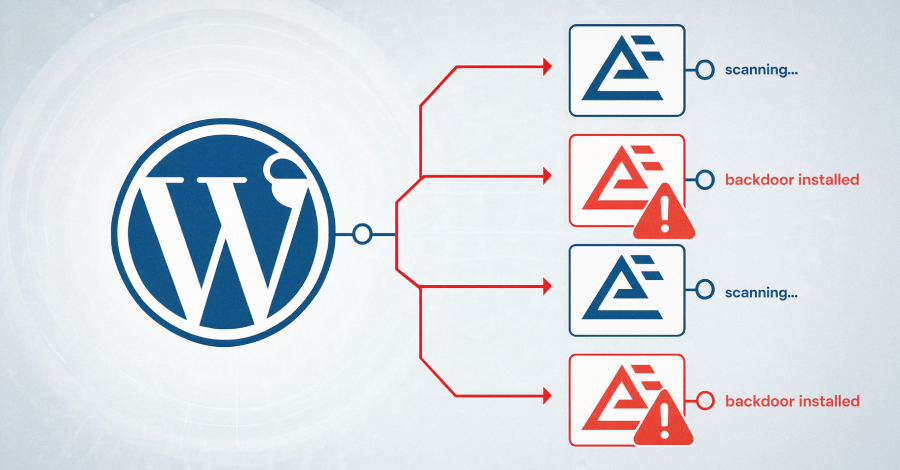
If you maintain a WordPress site using Everest Forms Pro, this needs your attention.
Attackers are actively exploiting a critical remote code execution flaw to take over sites. Here’s the short version and the steps that make progress visible.
What’s affected
The issue is tracked as CVE-2026-3300 (CVSS: 9.8) and impacts all versions up to and including 1.9.12 of Everest Forms Pro, a plugin with about 4,000 active installations. A patch was released on March 18, 2026 in version 1.9.13.
Why it matters
Exploiting this vulnerability allows unauthenticated attackers to execute arbitrary PHP on the server. From there, they can create rogue administrator accounts, deploy web shells, and establish persistence to deepen access.
How the bug works
“This is due to the Calculation Addon’s process_filter() function concatenating user-submitted form field values into a PHP code string without proper escaping before passing it to eval(),” Wordfence said.
“The sanitize_text_field() function applied to input does not escape single quotes or other PHP code context characters. This makes it possible for unauthenticated attackers to inject and execute arbitrary PHP code on the server by submitting a crafted value in any string-type form field (text, email, URL, select, radio) when a form uses the ‘Complex Calculation’ feature.”
What’s happening in the wild
Wordfence observed exploitation beginning April 13, 2026. To date, more than 29,300 exploit attempts targeting the flaw have been blocked. Of these, 16 attack attempts occurred in the last 24 hours.
The most common payload attempts to create an administrator account named “diksimarina” (email: diksimarina@gmail.com).
Wordfence also shared IPs observed in these attacks:
- 202.56.2.126
- 209.146.60.26
- 15.235.166.18
- 2402:1f00:8000:800::40db
- 185.78.165.153
Make progress visible: two actions now
- Update Everest Forms Pro to 1.9.13 (released March 18, 2026) to patch CVE-2026-3300.
- Review your admin users and look for unexpected accounts, especially one named “diksimarina” with the email above.
Skimmer attacks are abusing Stripe as C2
Separately, Sansec reported multiple skimmer campaigns. One uses Stripe as both the command-and-control (C2) channel and data exfiltration sink—leveraging the trust many sites grant to well-known domains and Content Security Policy rules.
“The attacker treats Stripe as free infrastructure, not a way to launder charges,” Sansec noted. “Stripe gives them a writable database for stolen cards and a code-hosting endpoint for the skimmer, both behind a domain that CSP rules and network filters trust by default.”
The campaign leans on Google Tag Manager (GTM) and Stripe domains (googletagmanager.com and api.stripe.com). Malicious code loads from a GTM container and runs on every page that includes it.
On Magento and Adobe Commerce checkout pages, the loader pulls an obfuscated skimmer from a Stripe customer account metadata field—specifically from the customer ID cus_TfFjAAZQNOYENR in the observed case. It collects payment card data, billing and email addresses, and phone numbers, stores them in localStorage, then exfiltrates the data back to the attacker’s Stripe account.
“Every stolen card becomes a ‘customer’ in the attacker’s account,” the e-commerce security company said. “On success, the loader deletes the localStorage entry, so the same record is not sent twice. The attacker lists their stolen cards later by calling the same API with the same key. Stripe’s customer database becomes a free, durable exfiltration sink.”
The Stripe customer record that hosted the skimmer was created on December 24, 2025, suggesting the campaign may have been active since then. Sansec also identified a second loader variant that uses Google Firestore instead of Stripe, with the same goal: hide exfiltration inside trusted services.
Related operation: GorgonAgora
Sansec’s findings align with a large-scale effort dubbed GorgonAgora, which uses 5,714 fake .shop storefronts impersonating major brands (Starbucks, Ford, Sony, Mattel, Hasbro, Lego, Disney, Toyota). These sites route stolen card data to a single skimmer server in Moldova. The campaign has been ongoing since August 2025.
“Every store runs the same Medusa.js commerce stack and loads the same custom checkout SDK, which renders a fake Stripe iframe and exfiltrates card data over an encrypted WebSocket to a single server in Moldova,” the Dutch company said.
“Exfiltration runs over WebSocket with an AES-256-GCM payload, and the C2 maintains a live 3D Secure relay: when the victim bank returns a 3DS challenge, the operator proxies it back to the shopper through the fake iframe so the transaction completes and the theft stays invisible.”
Keep your defenses moving forward: patch promptly, verify your user lists, and treat trusted third-party scripts and services with the same scrutiny you give your own code.
Reference: View article